Speed Stars
Speed Stars: Rhythm, Reaction and Race Pacing Guide
Speed Stars is a reaction and rhythm test disguised as a track meet. The goal is obvious, but the way you reach it is a matter of timing windows: when you press, how long you hold, and how evenly you alternate. Players who like gesture and timing challenges, the sort of precision we celebrate across our [Hot Games](/hot-games) list, tend to fall for it quickly because every race is short enough to analyse and long enough to punish sloppy input.
The version embedded here is a 3D Unity build. The page metadata credits Luke Doukakis and lists the build as version 2.40, and it loads with a name screen, a Race! button and a first event that doubles as the tutorial. From the moment the pistol fires, the game is entirely about your hands.
The Input Model: Alternate, Do Not Hold
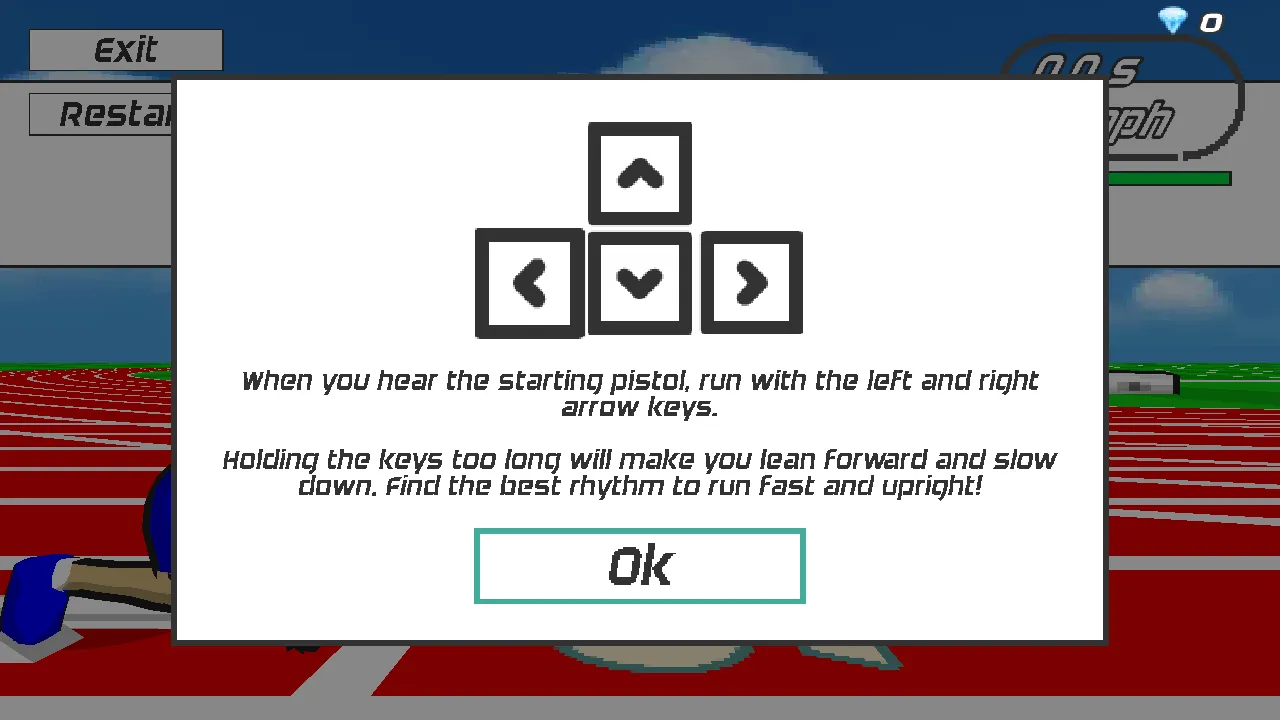
The how-to pop-up is unusually direct. It shows the four arrow keys and tells you to run with the left and right keys once the starting pistol sounds. Then it adds the rule that matters most: holding the keys too long makes the runner lean forward and slow down, and the player has to find the best rhythm to stay fast and upright.
Think of it as a pulse. Each press is a short, crisp contact, followed by a release and then the opposite key. If you glue a finger to one arrow, the athlete tips forward and the speed gauge drops. If you alternate with an uneven beat, the stride falls apart. In our automated test, a regular tap of roughly seventy milliseconds down and sixty milliseconds up, alternating sides, produced a clean run that climbed from a standstill to about 18 mph in around eleven seconds. Human fingers are slower, but the lesson is the same: consistency beats raw speed.
Reading the HUD as a Feedback Loop
Treat the top-right readout as your coach. The elapsed time shows in seconds, the speedometer shows miles per hour, and a thin green bar with a number sits below them. In our runs that number started at 100 and fell steadily as the race went on, reaching the low eighties by the end of a 100 metre dash. It clearly rewards even effort over a frantic start.
Use the speedometer to calibrate. If you hit 14 mph around six seconds and 17 or 18 mph around ten, you are on a good curve. If the number plateaus early, your rhythm has probably gone ragged, and a restart will serve you better than finishing a poor run.
Using the Split Banner to Judge Pace
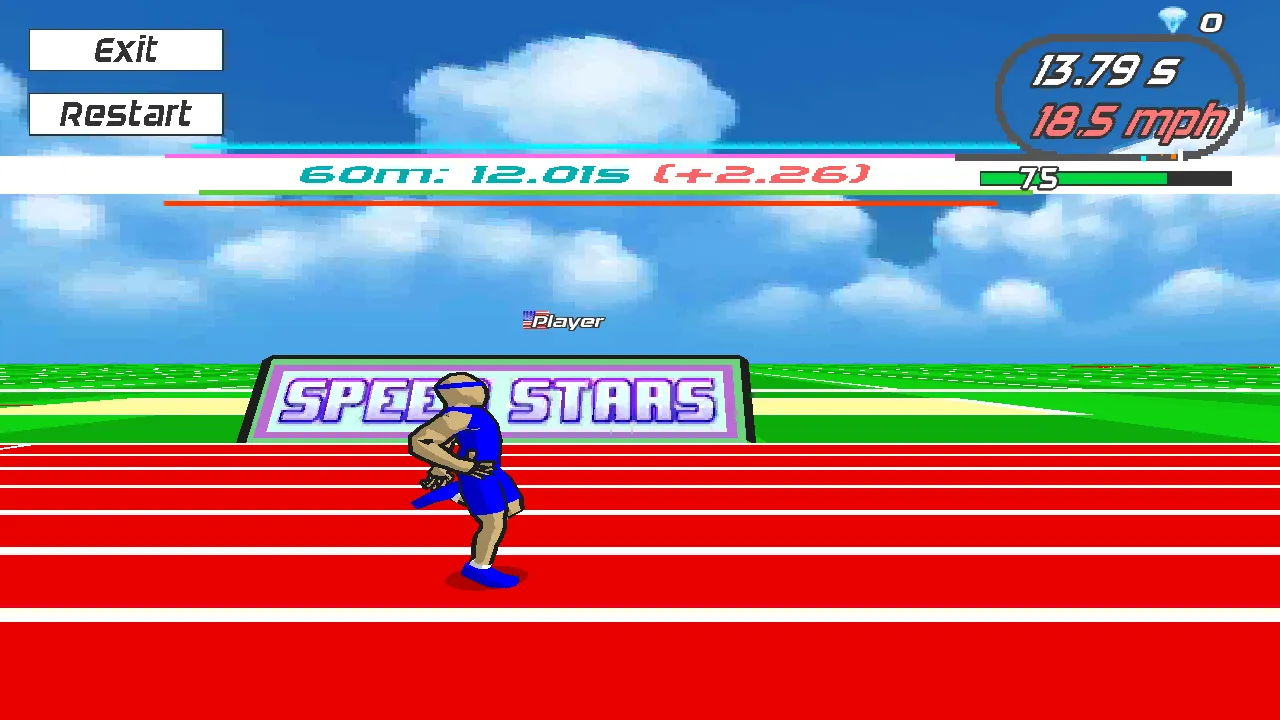
A banner flashes during the 100 metre dash with a 60 metre split and a gap figure beside it. It is the best pacing checkpoint in the race. If you see a large positive gap, the usual fix is not more speed but cleaner rhythm in the second half. Learn what your own splits look like across several attempts, and you will start to feel when a run is going wrong before the banner even appears.
Hurdles: A Second Timing Window
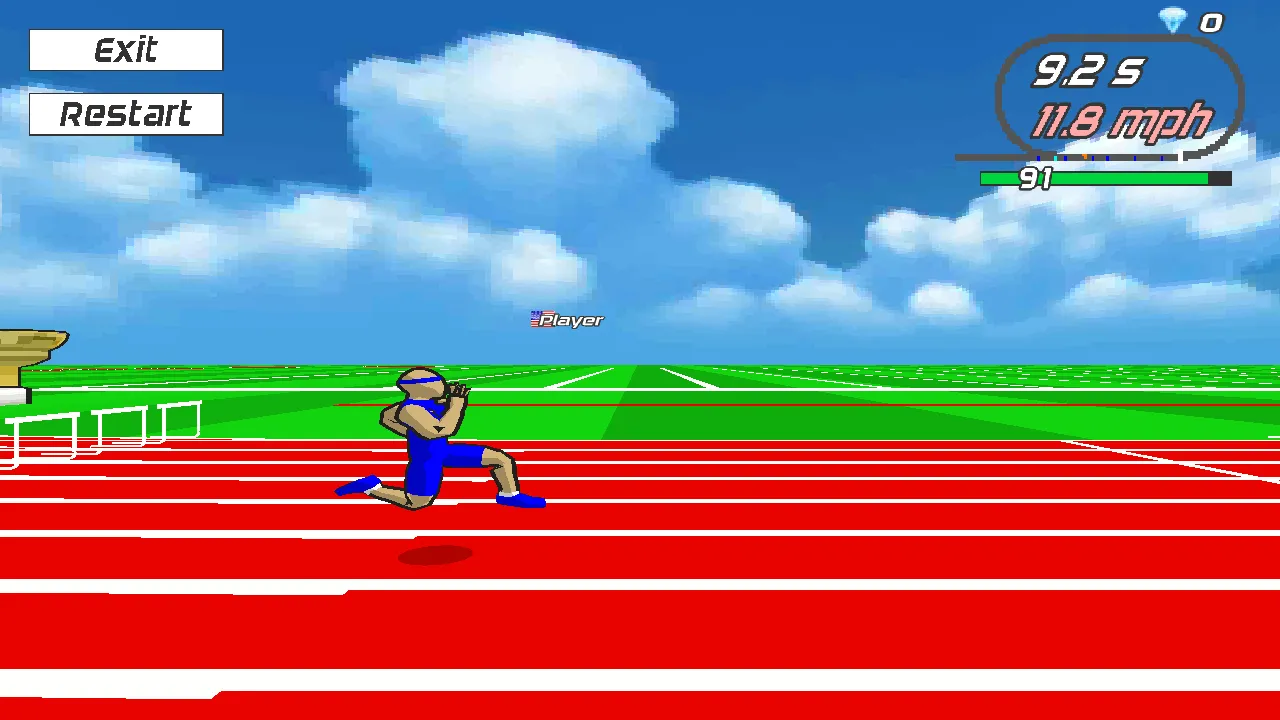
The hurdle races add a separate input and a second window. When you approach a barrier you hold the down arrow key to get into hurdle position, then release and return to alternating left and right. The skill is in starting the hold at the right moment: too early and you crouch while still far from the barrier and lose speed, too late and you clip it.
The best approach is to treat each hurdle as a metronome tick. Alternate steadily, anticipate the barrier by a stride or two, hold down for just long enough to clear it, and snap straight back into your rhythm. On the 110m and 400m hurdles the game quickly separates players who count from players who guess.
Distance Events and Stamina Discipline
The sprint list goes from the 60m up to the 800m, and each distance asks for a different tempo. Short races reward an aggressive launch and a stable finish. The 400m run and 800m run punish a hot start, because the energy-like bar keeps falling and you cannot restore it by pushing harder. A good rule is to run the first third at about eighty percent effort, settle into a metronomic beat through the middle, and keep a little in reserve for the last stretch.
Phone players have the same challenge in a different form. The mobile tutorial tells you to tap left and right instead of pressing keys, with the same warning about holding too long. Short, light taps, one thumb on each side of the screen, keep the beat even.
Recovering From a Bad Start
Every race begins with a SET banner as the athletes crouch on the blocks, and the first second matters. If you fire too early or lose the beat, press Restart in the top-left corner immediately. A 100 metre dash lasts only about fifteen seconds, so restarting is cheaper than hoping. After each finished run the results board offers Watch replay, Race again, High scores and Menu, and the replay is a useful way to see where your stride lost its shape.
Troubleshooting and Frequently Asked Questions
Wait for the Unity build to finish loading, click inside the game once so it captures the keyboard, and use the fullscreen control if the window feels small. If keys seem ignored, another browser tab or an on-screen popup may have focus.
What are the controls in Speed Stars? Alternate the left and right arrow keys, or tap left and right on touch screens, and hold the down arrow when approaching a hurdle.
Why do I slow down when I hold a key? The game makes the runner lean forward if you hold too long, which lowers speed.
How long is a 100m race? Around fifteen seconds in our tests.
Does it work on mobile? Yes, the tutorial text changes to tapping left and right.
Can I try different distances? Yes: seven sprints, two hurdle races, a relay, a free run and a daily race.
Is there a replay? Yes, the results screen has a Watch replay button.
A Ten-Minute Practice Plan
If you want measurable progress, give yourself a structure. Spend the first three minutes on the 60m dash only, because it is short enough to repeat a dozen times and isolates the start. Spend the next three on the 100m, watching your speed reading at the six and ten second marks. Use the last four minutes to try one hurdle race, focusing only on the moment you press down. Write down your best time at each stop, then come back tomorrow and compare. Players who treat the game like a drill improve far faster than players who simply keep racing.