
Drift Rush
Drift Rush: Throttle, Counter-Steer and Handbrake Timing Guide
A drift is a timing problem. You enter a corner, trade grip for angle, catch the slide before it becomes a spin, and keep it going for as long as you can. Drift Rush turns that loop into a points game, and the way it scores you makes it a good test of reflexes and execution. For anyone who likes precision challenges like the ones on our [Hot Games](/hot-games) page, it is an unusually clear lesson in how small timing differences change results.
The browser version opens in a showroom with a red coupe and a coin counter reading 20,000, then moves to track selection and into a two-lap race. Nothing needs installing, and the controls are simple enough to learn in one lap. The mastery comes later.
The Execution Chain: Throttle, Steer, Catch
Every drift in Drift Rush follows the same chain of inputs. Hold the up arrow for throttle, tap left or right to turn in, and then release or adjust to hold the slide. We tested these keys with an automated sequence and the car responded to each one, swinging its rear out in corners and leaving tyre smoke behind. The handbrake has an on-screen label [SPACE], which marks its key clearly.
The trick is the order. Steering first and throttle second tends to push a car wide in most driving games, while throttle first and a quick steering tap is the usual way to get the rear to step out, so build that habit here. The third action, the catch, is a tiny opposite steering input as the angle grows. Players who practise that three-step sequence can hold a slide through an entire corner, and the on-screen drift score rewards the length of that slide.
The Countdown and the First Second
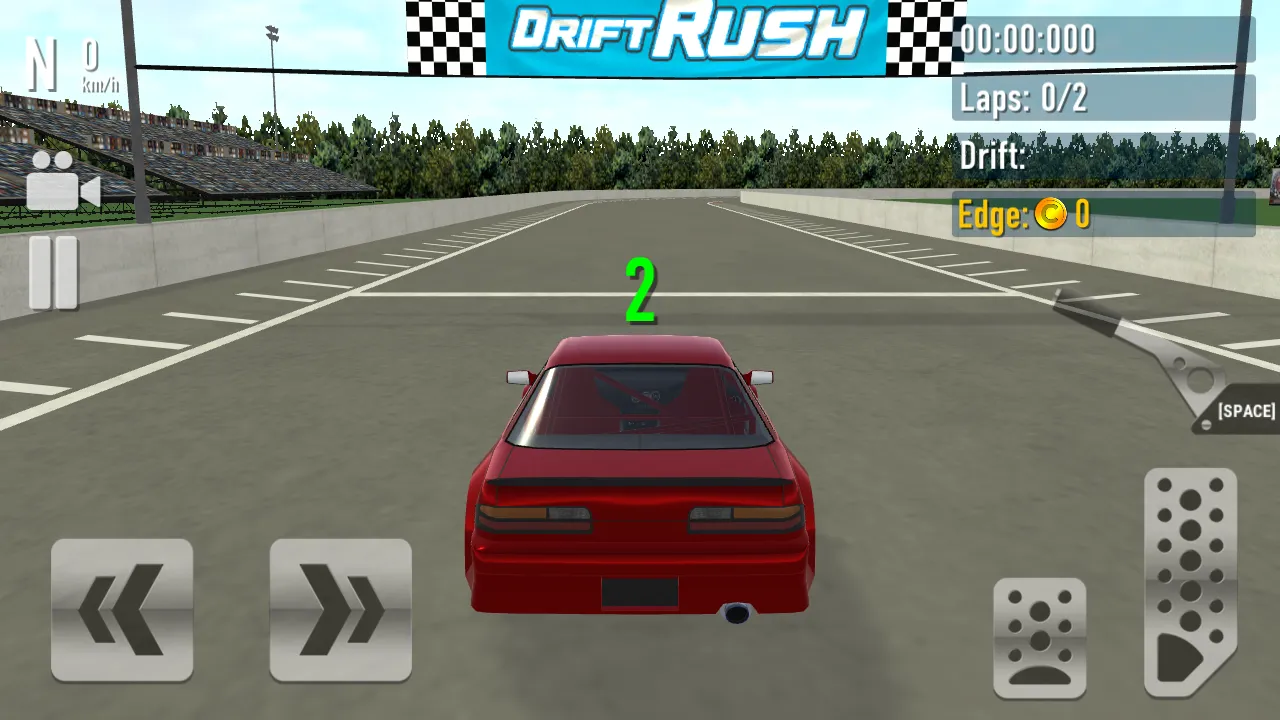
A race starts on a grid with a 3, 2, 1 countdown printed in green above the car, followed by a GO! message. The car sits on the start line under a big Drift Rush banner. This is your only guaranteed clean moment: hold the throttle just as the countdown ends, keep the steering centred and wait for the speed to climb before turning. We saw the speed readout move from zero to about seventy kilometres per hour and the gear number rise to three during the opening seconds.
Using the HUD as a Timing Aid
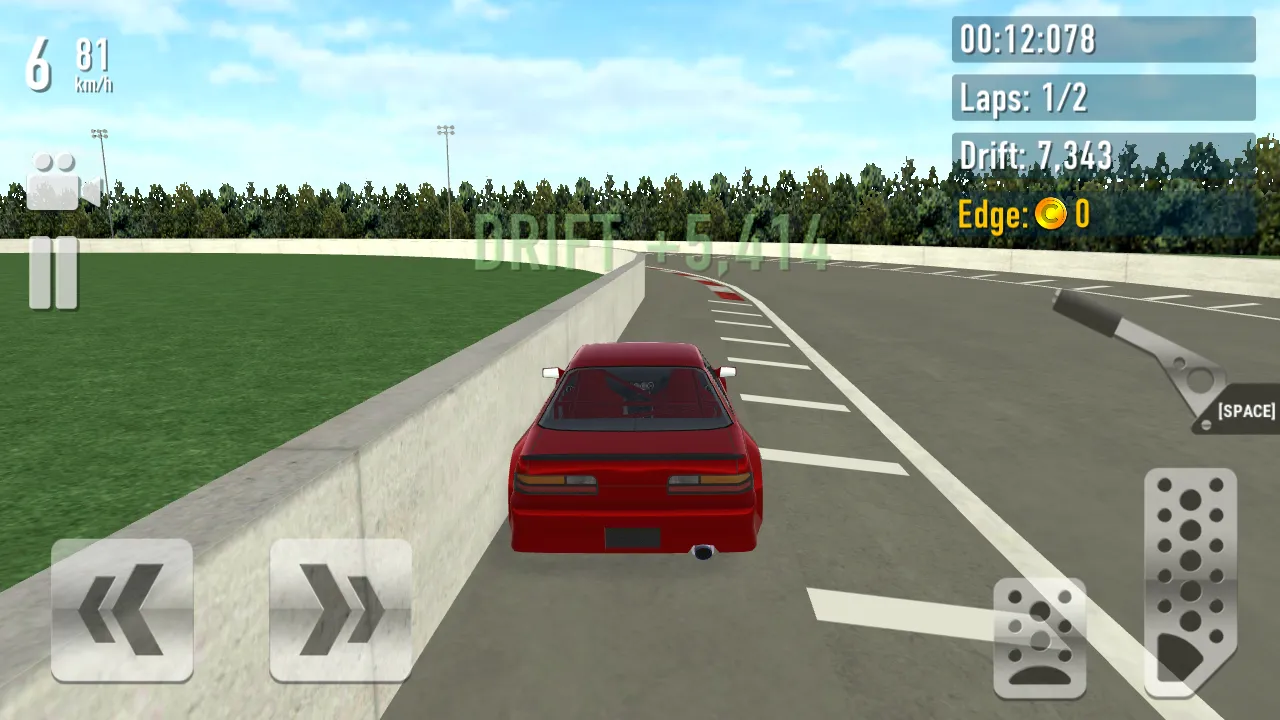
The top-left shows gear and speed. The top-right panel lists lap time in minutes, seconds and milliseconds, the lap number out of two, your drift score and an Edge coin counter. Use the speed number to judge corner entry: if you arrive too fast the car washes wide, and if you are too slow the drift dies in a second. The drift score builds as you hold a slide, and it can jump by thousands in a long one. In one of our runs the total passed seven thousand by the twelve second mark.
Handbrake Windows
The handbrake is not meant for every corner. It works best in a short window right as you turn in, when you need extra rotation without extra speed. A quick tap of Space kicks the tail out; holding it kills your momentum. Test it yourself: take one corner with a short tap and once without, then compare the drift score each time.
A good practice drill is to pick one corner and repeat it five times, using the handbrake only on the second and fourth attempts. Compare the drift scores after each pass, and you will see where it helps and where it hurts.
Edge Coins: A Risk Reward Reflex
During a lap, a message called Edge Coins appears and a counter marked Edge climbs in bursts. It rewards driving close to the limits of the track. The reward arrives only if you can control the car near the barrier, so it works as a risk reward test of reflexes. Press in too close and you will lose speed; stay too far and you earn nothing. Across our laps it rose after slides that came near the boundary.
Reading Your Own Numbers
The race screen gives you enough data to run small experiments. In one of our laps the drift counter showed 1,929 at the eight second mark and 7,343 at twelve seconds, then 9,411 at twenty-two seconds, while the Edge counter stayed at zero early on and later showed 85. That kind of log tells you which section of the track pays best. Note the timer when you enter a favourite corner, repeat the lap, and check whether the same corner gives a bigger jump the second time. Treat each lap as a measurement rather than a mood.
Recovering From a Mistake
Walls and concrete barriers are the most common failure. If your car comes to rest against one, release the throttle, steer away and rebuild speed in a straight line. Fighting the wall with full throttle only keeps you stuck, as one of our test runs showed when the car sat flush with a barrier for the rest of the session. Use the pause button on the left edge to take a breath, and accept that a ruined lap is sometimes best abandoned and started fresh.
Choosing a Car for Reaction Speed
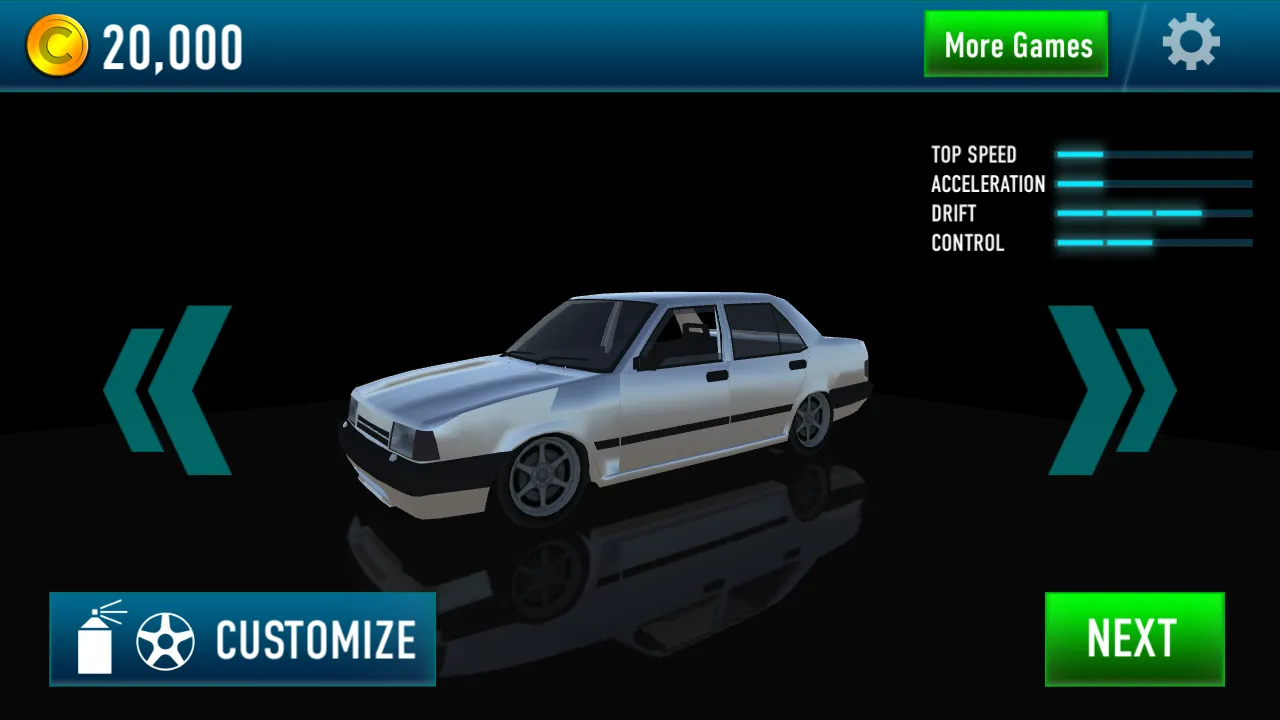
In the garage, the four stat bars labelled Top Speed, Acceleration, Drift and Control describe each car. For a first session, choose the unlocked car with the highest Control bar, because easier handling gives you more time to learn the chain. The white sedan we tried was ready to drive, while a blue sports car in the third slot was locked at 37,500 coins. Coins also unlock tracks: the Winter circuit plays from the start, while a Desert track in the selector is locked at 36,500 coins, so decide early whether you would rather save for a car or a course.
Troubleshooting and Frequently Asked Questions
Wait for the loading bar, click once inside the frame so the keyboard focuses, and use fullscreen for a better view. If the controls feel late, close other heavy tabs.
Which keys control the car? The arrow keys for throttle and steering and Space for the handbrake.
How many laps are in a race? Two, according to the lap counter.
What does Edge mean? It is a counter and coin reward that rose in our runs when we slid near the track boundary.
Can I play on mobile? Yes, the game shows on-screen steering and pedal buttons.
What if I get stuck on a wall? Release the throttle, steer away or restart.
Do I start with coins? Yes, 20,000.