
Martin Fighting Game: Reflex Challenge
Martin Fighting Game: A Reflex Lab for No Filter Fighters
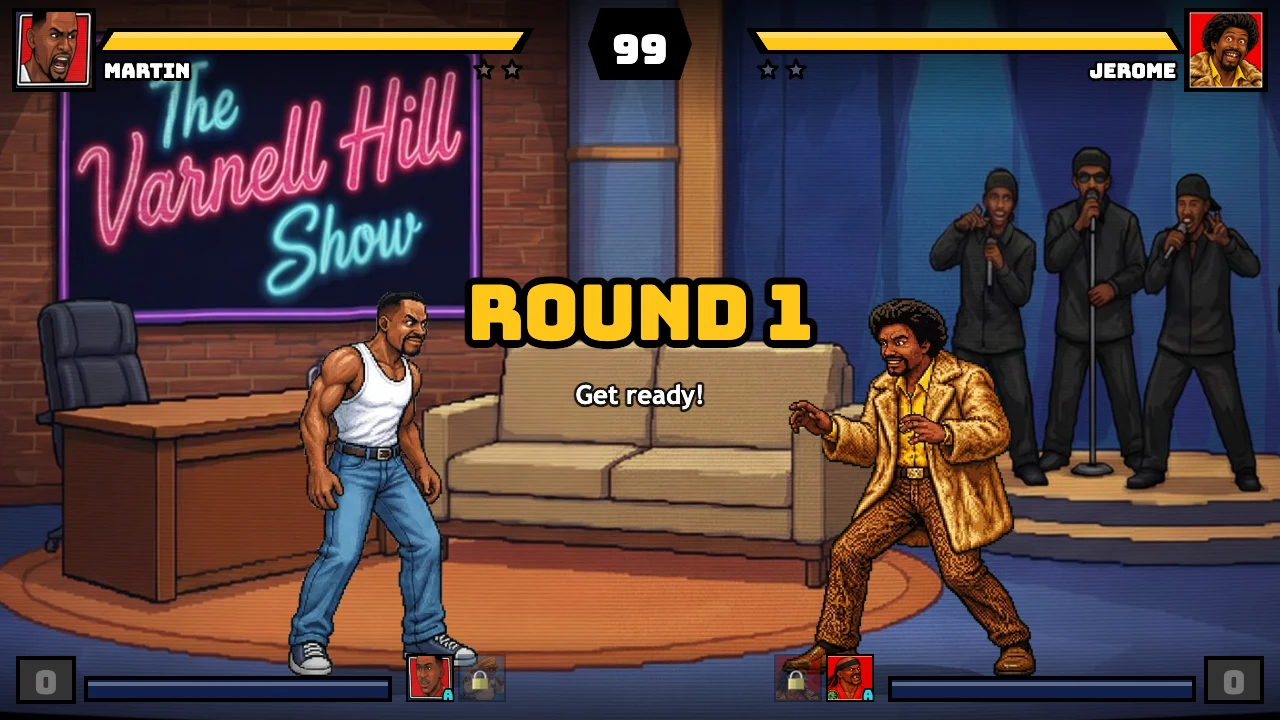
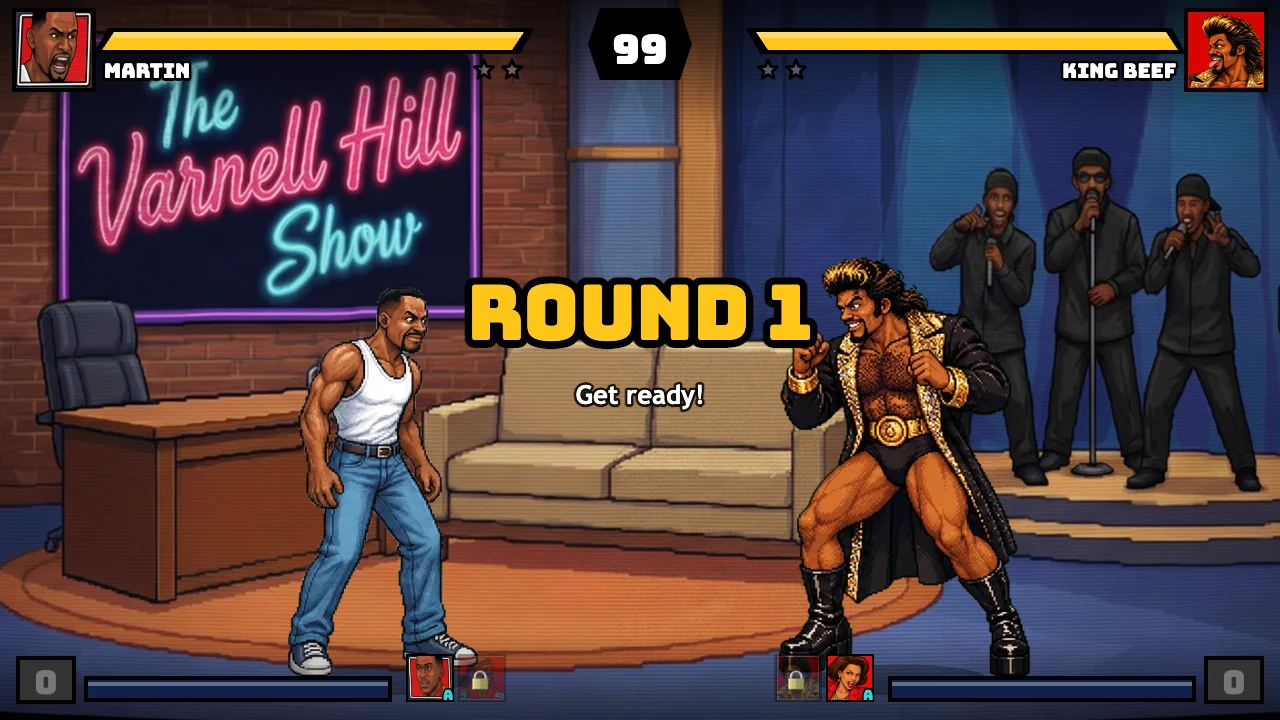
Martin Fighting Game is a browser fighting challenge built around quick recognition and controlled answers. The playable source calls itself Martin: No Filter Fighters, while the supplied Game Jolt mirror presents a Turbo variant. Both versions show the same kind of useful information: a health bar, a round timer, character portraits, sidekick icons, and a stage where distance matters. The right way to learn this game is to treat each round like a reflex drill. See the approach, choose a response, perform one clean input, and return to a stable position.
That approach suits Nate Hand Gesture because the game rewards hands that react without becoming frantic. You do not need to learn the entire roster or memorize every special on the first attempt. Start with movement, a short attack, block, and one assist. Once those actions feel automatic, add the meter buttons and the more dramatic options.
The fastest route from menu to round
Press Enter or Space on the title screen. The build then presents its fan-demo notice and the mode menu. Choose Arcade for a CPU challenge, Versus for two players, or Training when the purpose is to isolate inputs. After choosing Arcade, select a fighter and then a sidekick. Confirm both selections and continue through the versus card. The first round displays a large timer and two full health bars before the fight begins.
The Game Jolt mirror is a useful second source when you want to see the Turbo title treatment. It is still a browser game page, so allow the embedded game to finish loading before testing input. If the first key press appears to do nothing, click the game area and try Enter again. A title prompt, disclaimer, or character screen can absorb a confirmation before the actual fight begins.
The Nate Hand Gesture new games page is a useful next stop after your first test. It keeps the task-oriented rhythm of trying a game, checking the controls, and moving to the next challenge.
The reflex-first control map
Player 1 uses WASD for movement: A and D walk, W jumps, and S crouches. F is light punch, G is heavy punch, V is light kick, and B is heavy kick. H activates the special. T and Y are the two super buttons. C calls the sidekick, R blocks, and E taunts. The in-game pause panel prints this map so you can verify it without leaving the match.
The second keyboard layout uses the arrows for movement, J and K for punches, M and comma for kicks, L for special, I and O for supers, period for assist, Right Shift for block, and P for taunt. In solo play, the primary fighter can accept both layouts. In Versus, the second map gives another player a separate set of controls.
For a reflex drill, ignore most of the list. Use D to approach, R to block, F to check distance, G to punish a clear opening, and C to call an assist when the opponent commits. Add W and S only after you can recognize whether a jump or crouch is actually needed. A long list becomes manageable when every button has a trigger.
Drill one: recognize the approach
Begin in Training or use the first Arcade round. Stand just outside light-punch range. Let the opponent move first. Your only goal is to identify whether the opponent walks, jumps, attacks, or pauses. If the opponent walks forward, hold block and wait for the attack to finish. If the opponent jumps, move under the arc or block if the landing is too close. If the opponent pauses, take one step forward and test with F.
This drill prevents the common mistake of attacking because the screen feels quiet. A fighting game creates openings through distance and timing, not through constant button activity. When you wait, the opponent gives you more information. You can see whether a character is entering range, starting a move, or preparing a jump.
Keep the drill short. Three successful blocks are enough for one set. Then repeat the same situation with one light attack. If F reaches, follow with G only when the first hit connects. If F misses, walk away and reset. The goal is clean feedback, not a long combo.
Drill two: separate defense from punishment
R is block, but blocking is only the first half of defense. After a blocked or missed attack, watch the opponent's recovery. A heavy attack usually creates a larger visual commitment than a light button. Use F or V as the safer answer, then decide whether G or B is close enough to follow. If you press the heavy button before the opponent has finished, you may trade damage or lose the turn.
Try a three-part sequence: hold R during the approach, release block when the attack has ended, press F once, and return to R. This is a useful Martin fighting game habit because it keeps the response compact. You are not trying to win the entire exchange from one opening. You are testing whether the opponent is still active and whether your distance is correct.
When the opponent blocks your attack, do not repeat the same heavy button immediately. Walk back, crouch, or call an assist to change the rhythm. A pause can be more useful than a stronger attack because it makes the next reaction harder to predict.
Drill three: use the air without losing control
W is jump and S is crouch. Jumps are valuable when they create a new line of approach, but they also remove your ability to block during part of the arc. Use a short jump when the opponent is standing still or backing toward a corner. Do not jump automatically after every blocked string. The CPU can answer a predictable jump, and the stage view can make a missed landing look worse than it was.
Crouching changes your height and gives you another way to vary the timing. Combine a brief S with a light kick when the opponent is close, then return to block. The point is to make the opponent respect different rhythms, not to hold crouch for the entire round.
In Training, compare a walk-in attack with a short jump-in attack. Notice where each option places your character at the moment the opponent can respond. Pick the safer option for the current distance. This simple comparison builds a more reliable reaction than memorizing one favorite opener.
Specials, supers, and assist economy
H is the special input. T and Y spend the two super options once the meter is ready. C calls a sidekick. These actions create the exciting moments in a Martin fighting game, yet they still benefit from the same reflex rule: see a real opening before committing.
Test H in Training from close, medium, and far distance. Note where it connects and where it leaves you. Then test T after F connects. If the super is available and the opponent is already in hitstun, the sequence has a clear reason. If you press it from the other side of the stage, the result depends on the move's reach and the opponent's reaction.
Use C when the assist can cover a transition. A sidekick can help you approach, interrupt an opponent, or give you time to reset. Calling it every few seconds makes the action noisy and removes its value as a response. Save it for a moment when you need to change the pace.
The pause panel also describes team supers and the crossover behavior associated with an assist while blocking. Read that panel once before experimenting. It explains the higher-cost decisions without forcing you to discover every interaction through a loss.
A five-minute reflex routine
This routine uses five short blocks. First walk left and right, crouch once, and jump once. Next hold R during an approach and release after the attack ends. Then add F after a successful block. Test one kick or assist in the fourth block. Use the final block to ask which reaction failed first.
The pause menu is a quick reference for P1 and P2 controls, attack groups, launchers, specials, supers, assists, block, and taunt. Settings also supports key remapping and controller options, so important actions can stay under your strongest fingers.
Arcade, Versus, Story, and Turbo presentation
Arcade gives you a visible sequence of CPU encounters and a fight counter on the versus screen. Story Mode adds chapter-style scenes around the matches. Versus is built for two people sharing the keyboard or using controllers. Training removes the pressure of a ladder. CPU Showcase lets you watch selected fighters. Online Versus, Reveal Theater, and Settings cover the remaining ways to explore the build.
The direct PixelGame source and the Game Jolt mirror can present different title art, opponent selections, or Turbo labels while preserving the same basic fighting language. If you compare them, evaluate the control response and screen layout rather than assuming every matchup or count will be identical. The mirror is a practical fallback, not a reason to copy unsupported claims into the guide.
For another challenge after this page, open Horror Nun 2, check the PokéSurvivor page, or return to hot games.
Mobile and browser stability
A desktop keyboard is the cleanest setup because the game uses many simultaneous actions. On a phone or tablet, use landscape orientation and tap inside the game before pressing any visible touch control. If the game feels unresponsive, wait for the asset loading to finish, close a heavy overlay, and reload only after checking that the browser has focus.
The game is presented as an unofficial fan-made demo in its own opening screen. The page should describe it as a browser fan game and should not imply an official connection to the people or brands named in the disclaimer. That distinction also keeps the search copy accurate.
Frequently asked questions
What is Martin Fighting Game?
Martin Fighting Game is a browser fighting title based on the Martin: No Filter Fighters fan-demo presentation. The supplied Game Jolt source is labeled a Turbo variant, while the direct source provides the main playable page.
What controls should I learn first?
Learn A and D for movement, R for block, F for light punch, G for a confirmed follow-up, and C for an assist. Add W, S, H, T, and Y after the basic reaction loop feels stable.
How do I practice without losing to the CPU?
Choose Training from the mode menu. Use it to test move range, block timing, jump distance, special reach, and one simple attack sequence before returning to Arcade.
Is the Game Jolt link a separate game?
It is a supplied mirror that loads the Turbo presentation of the same Martin fighting concept. The direct PixelGame page is the primary source used here, and the Game Jolt URL is retained as a verified fallback.
How can I stop mashing buttons?
Give each input a trigger. Block when the opponent enters range, press F after a blocked attack ends, use G only after a confirmed hit, and save C for a specific approach or reset.
Can two people play on one keyboard?
Yes. Versus uses separate P1 and P2 keyboard layouts. The pause panel lists the second arrow-key and J-K-M-comma controls.
Final takeaway
The Martin fighting game becomes easier when you train recognition before spectacle. Stand at a measured distance, block the first approach, answer with one light button, and add heavier attacks only when the screen confirms them. Training makes the rules visible, Arcade tests them under pressure, and the Turbo mirror gives you another presentation of the same reflex challenge.