
Diagnosis Lovesick
Diagnosis Lovesick Online: Complete Choice Routing & 100% Gallery Walkthrough
In interactive visual novels where psychological suspense hides beneath a pastel surface, every single conversation prompt and room inspection carries weight. Created by indie artist and writer Ubaepeachy, Diagnosis Lovesick challenges players to piece together why they woke up inside an isolated, pink-tinted hospital with zero memory of their past. While your cheerful rabbit-eared nurse, Cry Bunny, insists that you will be discharged as soon as you "get better," neither he nor your fellow patients—Tilly and Lucy—can explain what illness brought you here or why the hospital itself seems to listen when people talk about leaving.
For completionists on NateHandGesture who love dissecting branching state machines, hidden affection counters, and unlockable CG galleries, Diagnosis Lovesick offers a surprisingly deep set of tracked variables under the hood. From the moment you complete the opening identity intake to the order in which you inspect your locked hospital room and tour the five ward sectors, your decisions dictate which dialogue branches and Polaroid memories you unlock. Our locally hosted WebAssembly build runs right inside your browser with full IndexedDB save persistence, letting you test every route without external redirects.
How the State Machine & Hidden Variables Work
Underneath its hand-drawn 2D artwork, Diagnosis Lovesick tracks several key state variables that govern how Nurse Cry Bunny, Tilly, and Lucy react to you throughout the demo and across the planned six-chapter story arc:
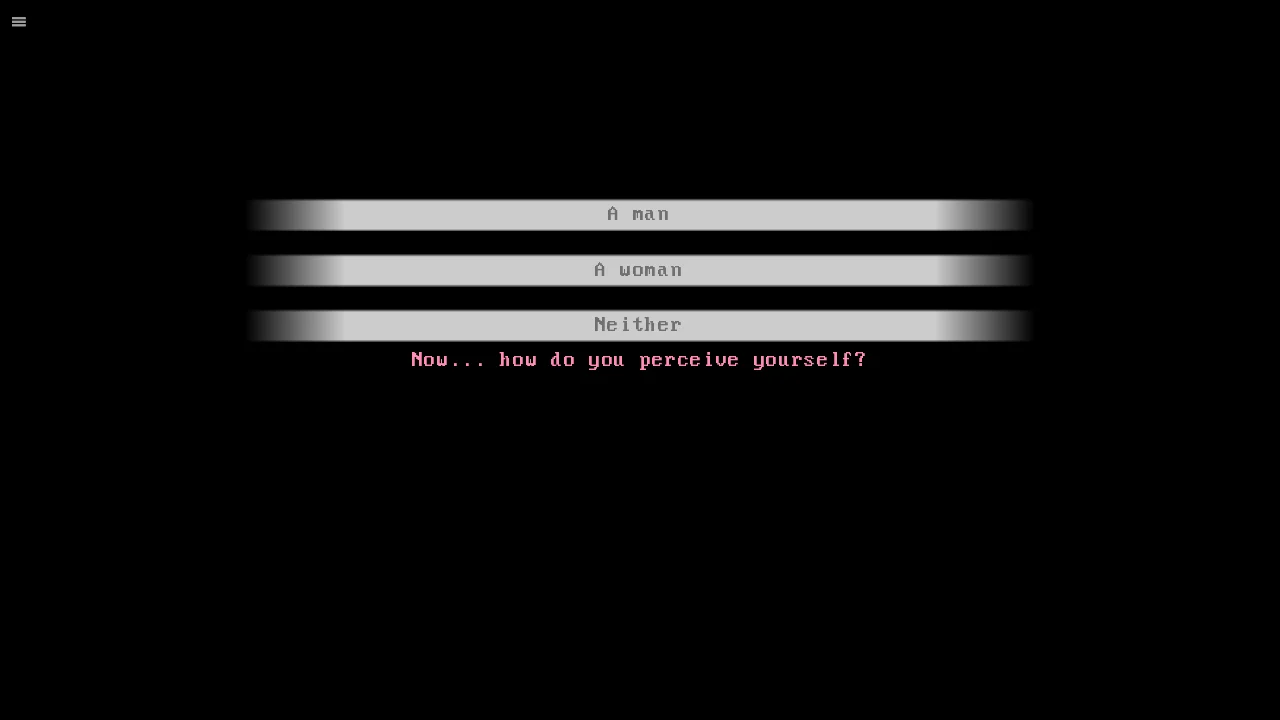
- Player Identity (`povname` & `mc_gender`): During the black-screen prologue, typing your name and selecting `A man`, `A woman`, or `Neither` assigns `mc_gender` (`"man"`, `"woman"`, or `"nonbinary"`), dynamically adjusting how characters refer to you in later conversations.
- The Overnight Meal Flag (`eat`): During your first night alone in the patient bedroom (`room_exploration`), clicking the bedside tray lets you choose between `Eat it` and `Don't eat it`. Setting `eat = True` routes Chapter 1 through the `atethefood` label—where Cry Bunny beams with relief and rewards your appetite—whereas leaving the tray untouched sends you down the `didnteatfood` branch where he blames his own cooking skills.
- Nurse Affection Counter (`crybunny_affection`): Key dialogue choices—such as helping Cry Bunny clean up spilled pancake batter (`help_cleaning`), sharing his enthusiasm for sweets (`likesweets`), and resting beside him in the sensory room—increment `crybunny_affection`, steering you toward the three planned good endings rather than the two bad endings.
- Clue Discovery Flags (`page_one`): Certain lore items, like the first torn diary page hidden beneath the sensory room pillow, only trigger if you accept specific optional interactions during the hospital tour.
Precision Keyboard & Mouse Shortcuts for Fast Routing
When you are hunting for all 18 unlockable gallery images or replaying scenes to compare dialogue variations, mastering Ren'Py's built-in keyboard shortcuts makes navigation effortless:
- Spacebar (Safe Dialogue Advance): Advances the current line of text without activating on-screen choice buttons—preventing accidental misclicks when a sudden two-option menu pops up.
- Enter / Left Mouse Click: Confirms highlighted menu options, submits text input boxes, and clicks interactive room objects.
- Page Up / Mouse Wheel Up (Instant Rollback): Steps backward line-by-line through the conversation state, even allowing you to undo a choice you just clicked moments ago without loading a save file.
- Page Down / Mouse Wheel Down: Steps forward again after rolling back.
- Tab Key (Toggle Skip Mode) & Ctrl Key (Hold Skip): Rapidly fast-forwards through previously read dialogue blocks until the engine hits a branching menu.
- H Key (Hide HUD Overlay): Strips away the pink grid dialogue box and quick-menu buttons (`skip`, `save`, `load`, `option`) so you can inspect background details in full 1280×720 clarity.
- Top-Left Context Button (`≡`): Opens the WebAssembly utility drawer where you can Export Saves (`savegames.zip`) or Import Saves across different browsers or devices.
Step-by-Step Walkthrough: Optimal Day 1 & Night 1 Choice Path
Follow this verified step-by-step sequence to maximize `crybunny_affection` and unlock every single CG photo in the current build during a single clean run:
Phase 1: Prologue & Plushie Creation
1. Complete the name prompt and choose your preferred identity option (`A man`, `A woman`, or `Neither`). 2. When the Dollmaker screen opens, customize your rabbit plushie's eyes, stomach pattern, head accessory, collar, and hex colors, then click DONE in the bottom-right corner. 3. Watch the two-part wake-up scene with Nurse Cry Bunny (`cg_wakeup_1` and `cg_wakeup_2` unlock automatically in your Gallery).Phase 2: Night 1 Bedroom Point-and-Click (`room_exploration`)
Before you click the hall door to end the night, inspect the other four room hotspots in this exact order: 1. Click the Window (Left): Pull back the polka-dot curtain to observe the unsettlingly blank exterior outside the ward. 2. Click the Bedside Plushie (Right): Read the handwritten ear tag from Cry Bunny (`"Hi hi! I hope this plushie can keep you company while I'm away!"`). 3. Click the Dinner Tray (Nightstand): Select `Eat it` when prompted about the hotdog with marshmallows. This sets `eat = True` for the morning evaluation. 4. Click the Locked Door (Center-Left): Jiggle the locked handle twice, then click the Hospital Bed and select `Go to sleep` to advance to Morning.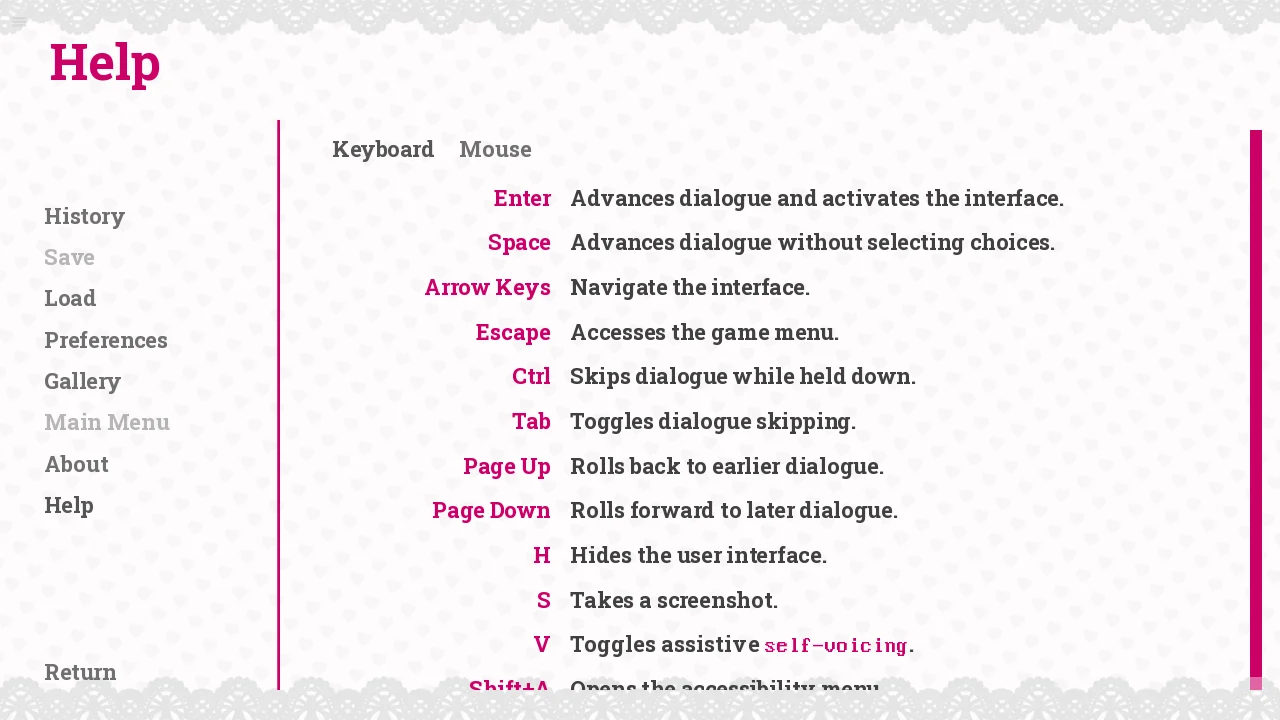
Phase 3: Chapter 1 Morning & Five-Room Hospital Tour
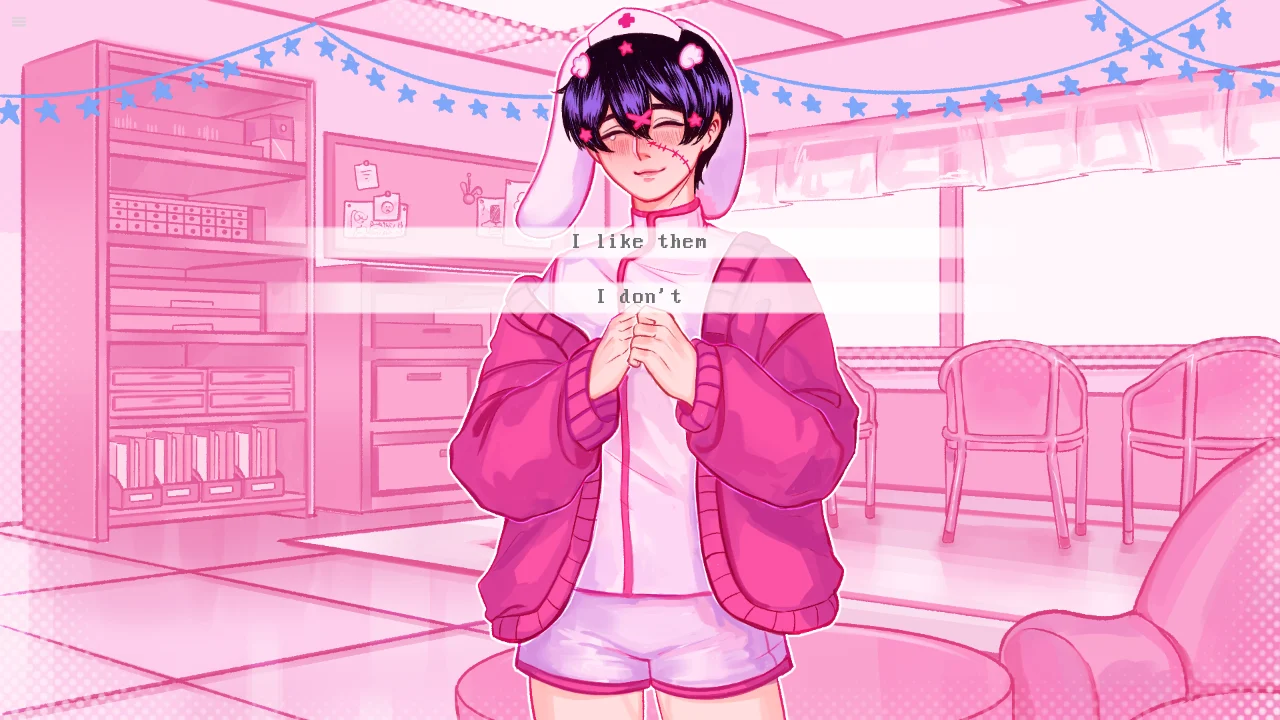
1. In the morning, click the Door to trigger Cry Bunny's entrance with breakfast. Because `eat` is `True`, you immediately get the happy breakfast reaction. 2. When the Hospital Tour Hub (`tour`) begins, visit all five locations before selecting `I'm done looking around`: - Sensory Room: Choose `Yeah, a quick nap sounds nice` to unlock the four-stage sensory room floor pillow CGs (`cg_sensory_1` through `cg_sensory_5`) and obtain the hidden notebook clue (`page_one = True`). - Activity Room: Meet Lucy and Tilly, witness the chaotic welcome party (`cg_welcomeparty_1..3` and `cg_pancake_1..6`), and choose `I can help clean` followed by `I like them` when discussing sweets to boost Cry Bunny's affection. - Dayroom, Courtyard & Occupational Room: Visit each remaining room to flip all five `visited_*` boolean flags (`visited_dayroom`, `visited_courtyard`, `visited_occupationalroom`), unlocking the full post-tour progression.Hidden Affection Triggers & Managing Nurse Cry Bunny's Trust
Every interaction with Nurse Cry Bunny carries an invisible emotional weight that directly shifts your ending trajectory. In the Ren'Py script, Cry Bunny's emotional state fluctuates based on how safe and valued he feels around you. Refusing food or questioning the hospital's authority too aggressively causes him to stammer and fiddle with his cuffs nervously, whereas showing patience and participating in small ward routines—like sampling his experimental pancake recipes or sharing your childhood feelings about sweets—builds a protective trust barrier that prevents darker survival scenarios from triggering in future chapters.
How to Verify Your 18 Gallery Unlocks
At any point during gameplay, click option (or press `Escape`) and select Gallery from the left-hand navigation bar. The scrapbook is divided into multiple pages featuring custom frames for the Wake-Up sequence, the Sensory Room nap sequence, the Pancake Mix mishap, Tilly carrying Lucy (`tillycarryinglucy`), and the Welcome Party snapshots. Any locked slot displays a silhouette placeholder until its persistent flag (`persistent.cg_*`) is triggered in-game. When you finish unlocking every page in Diagnosis Lovesick, test your decision-making in more interactive titles across our [New Games](/new-games) and [Arcade Games](/arcade-games) hubs!