
PokéSurvivor
PokéSurvivor Challenge: How Long Can You Last?
PokéSurvivor turns a Pokémon-style partner into the hero of a horde survival challenge. You do not aim and you do not press an attack button. Your partner fights automatically. Your hands only decide where to go, and one wrong turn into a crowd can end a run in seconds. That makes it a natural fit for Nate Hand Gesture players who like reflex tests with a clear score.
This guide focuses on the challenge side of the game: the survival timer, dodging, the controls on phone and keyboard, and a short routine for beating your best time.
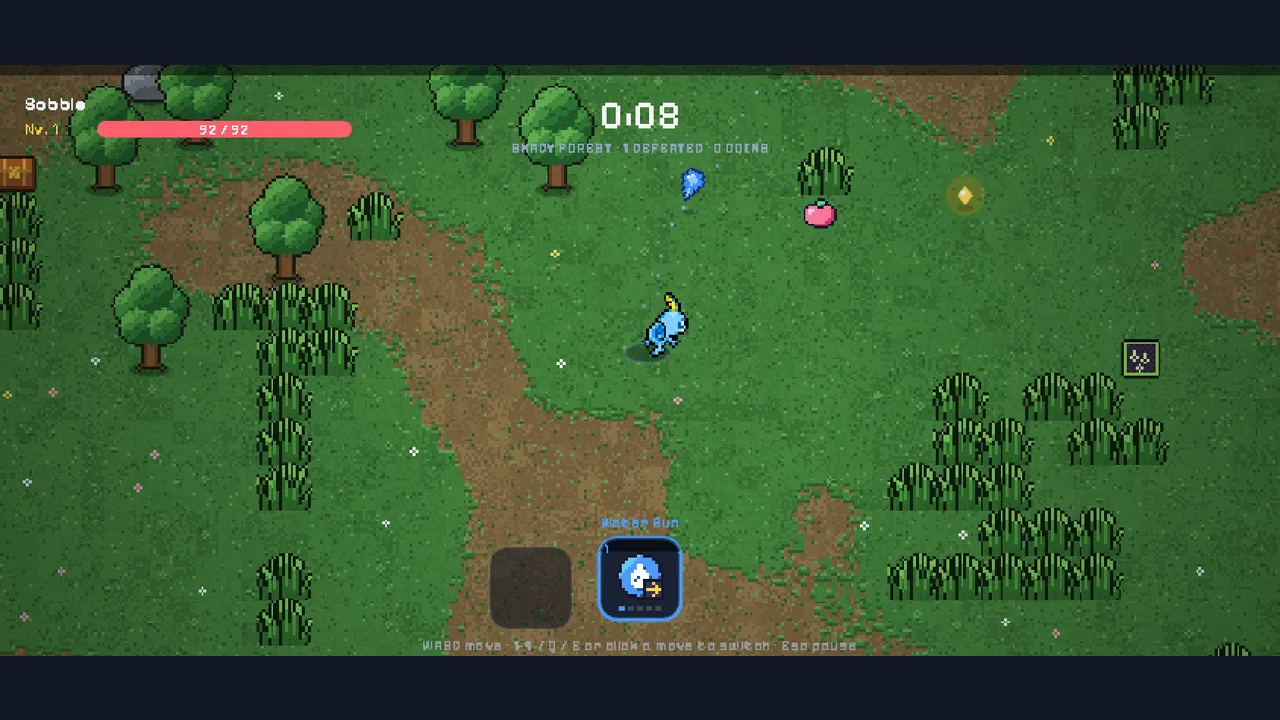
1. The challenge in one sentence
Survive as long as you can while wild Pokémon close in from every edge of an endless map.
The official PokéSurvivor guide describes it as a survival game in the style of Survivor.io and Vampire Survivors. You choose a partner, it attacks with its active move, and your job is to dodge and position yourself well. The project is a free, non-profit fan game, and the developers state it is not affiliated with Nintendo, GAME FREAK, or The Pokémon Company.
What the screen tells you
- Top left: your partner's name, level, and health bar.
- Top center: the run timer, the area name, Pokémon defeated, and coins collected.
- Bottom center: your equipped moves. The active one is highlighted.
The timer is your score. Everything else is a tool for pushing it higher.
2. Controls for keyboard and phone
The game supports both, and our pause-menu screenshot shows the same control list the official guide gives:
- Keyboard: WASD or arrow keys to move, 1 to 4 or Q and E to switch moves, Esc to pause.
- Phone or tablet: hold the device in landscape. Touch anywhere and drag to move; the joystick appears where your finger lands. Tap a move icon to switch, and use the button at the top right to pause.
On a phone, keep your thumb low and toward the side of the screen. The center of the screen is where your partner and the enemies are, so your thumb should not cover it.
Starting a run fast
- Press play on the embedded player, then press Play now on the PokéSurvivor cover.
- Tap the title screen, then choose Play as guest.
- Answer the eight-question personality quiz. It suggests a partner; ours was Sobble after a run of quiet, careful answers.
- Press Let's go together!, then Play in the lobby.
The run starts at once. There is no tutorial wall to sit through, so be ready to move from the first second.
3. Dodging under pressure
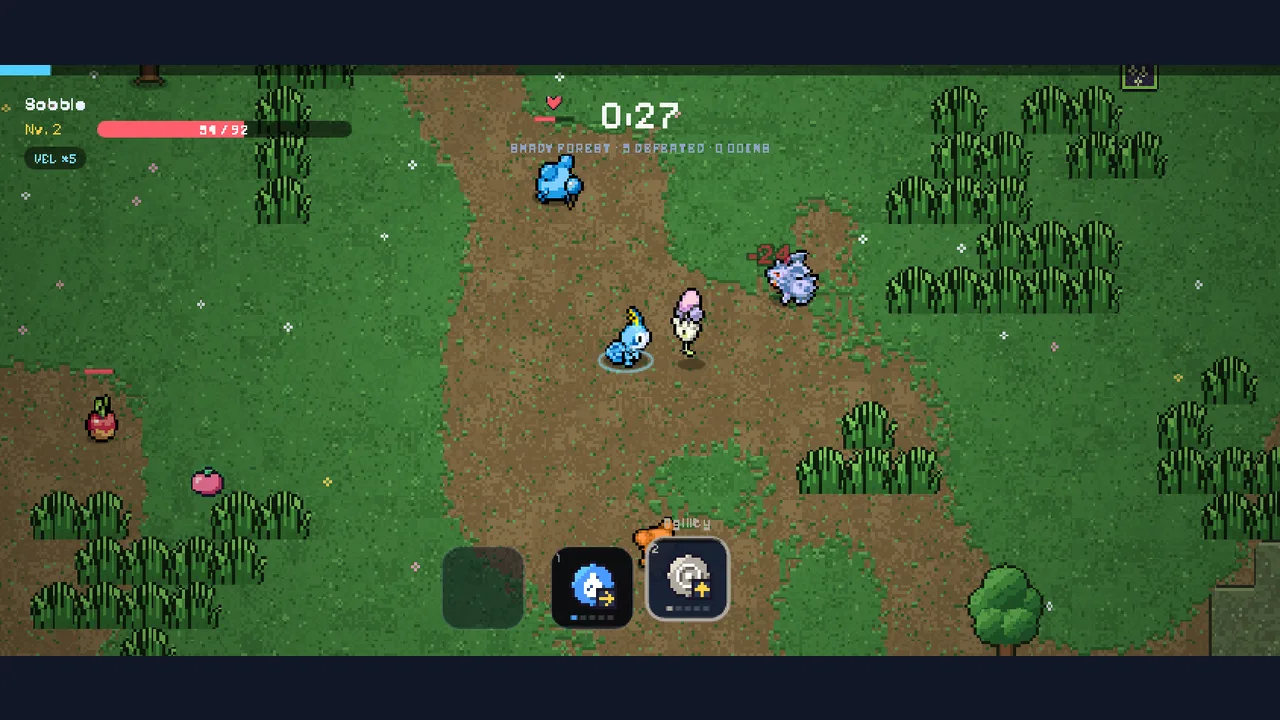
The screenshot above came from 27 seconds into a run on a phone-sized landscape screen. Enemies already come from several directions. These are the dodging rules that kept us alive longest:
- Move in wide arcs. The official tips say to move in wide circles so the horde follows in a line. A line is easy to outrun. A ring is not.
- Read the ground. Circles and lines that fill up on the floor are attacks about to hit. Step out early instead of waiting for the last frame.
- Prioritize support enemies. Some wild Pokémon heal, shield allies, summon help, or explode. Steer your partner's attacks toward healers and shielders first.
- Never stop to collect. Experience pickups are worth grabbing, but route through them on the way somewhere safe instead of stopping.
Use the type chart
When you have more than one move, switch to the one that is super effective against what is in front of you. The guide also notes that weather changes the math: rain boosts Water moves and weakens Fire, and there are sun, sand, snow, and fog conditions too.
4. Level-ups without losing focus
When your experience bar fills, the action pauses and three reward cards appear. Press 1, 2, or 3 to choose, or R to reroll when a reroll is shown. In our Sobble run the first set offered a Normal move that builds Speed, a heavy Water blast, and a sound-wave move that spreads in every direction.
For a survival challenge, a move that covers more area is usually the safest early pick. It clears space around you while you focus on movement.
5. Pause, reset, and try again
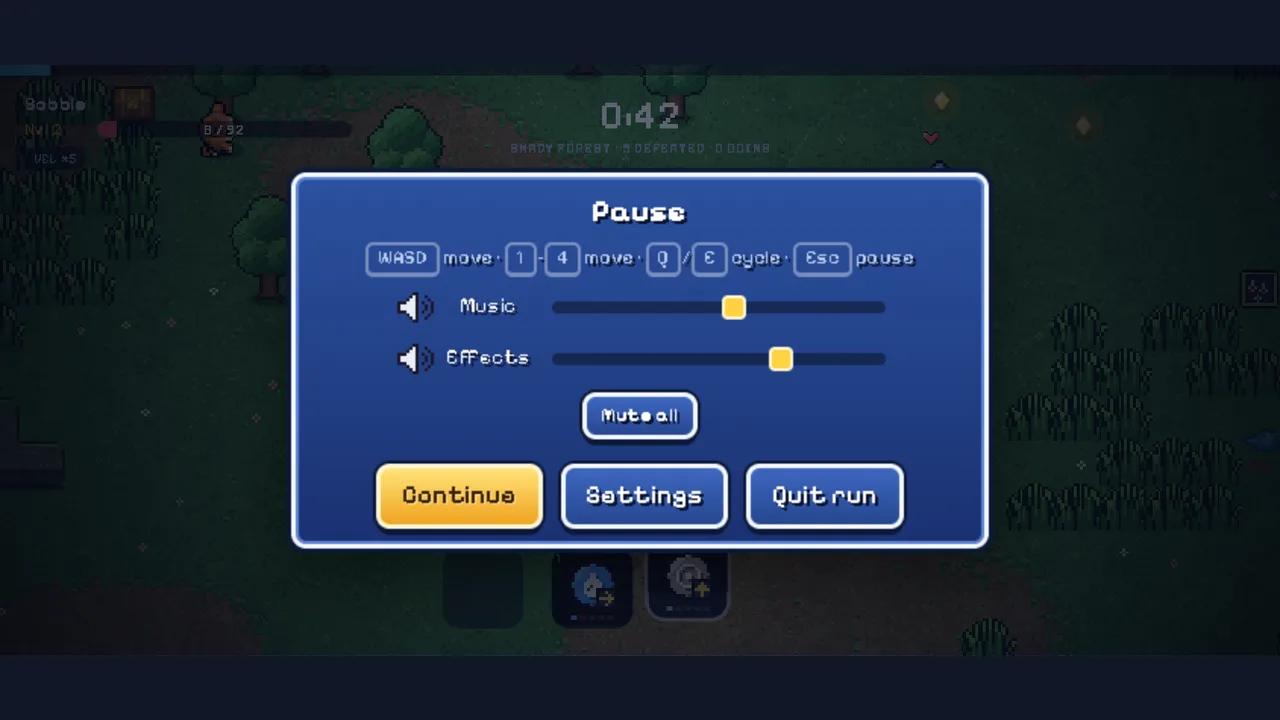
Press Esc any time to open the pause menu. It shows the full control list, music and effects sliders, Mute all, Continue, Settings, and Quit run. It is a good moment to breathe before a tough stretch.
When a run ends, the You fell… screen shows your time, level, Pokémon defeated, bosses, and coins. It also flags a New time record when you improve. Our first test runs ended between roughly half a minute and one minute, which gives you a realistic target to beat.
A five-run routine
- Run one: only move. Do not worry about cards.
- Run two: practice stepping out of every ground marker.
- Run three: pick area moves on every level-up.
- Run four: switch moves with the type chart in mind.
- Run five: combine everything and chase a record.
When your thumbs need a different kind of test, try the original Nate Hand Gesture challenge or check the hot games list.
Frequently asked questions
What is the goal of a PokéSurvivor challenge run?
Stay alive as long as possible. The run ends when your partner faints, and the results screen records your time, level, knockouts, bosses, and coins.
How do I dodge better in PokéSurvivor?
Keep moving in wide arcs and leave any circle or line that starts filling on the ground. Those markers are attacks that are about to land.
Does PokéSurvivor work on phones?
Yes, in landscape. Drag anywhere on the screen to move, tap a move to switch to it, and use the top-right button to pause.
Can I pause in the middle of a run?
Yes. Press Esc on a keyboard to open the pause menu, which shows the controls, music and effects sliders, Continue, Settings, and Quit run.
Will my best time be saved as a guest?
Guest runs are meant for quick play and the game marks them as not saved. Make an account on the official site if you want your records kept.
Final takeaway
PokéSurvivor is a pure positioning challenge with a Pokémon partner doing the fighting. Learn the controls, keep moving in wide arcs, respect the ground markers, and use every level-up to clear more space. Then beat your time again. The new games page has more challenges when you want a break.